
Room analysis / 3 min read
Acoustic Ray Analysis comes to Acouso-ROOM
How does speech from the front of a lecture theatre reach the last row? Acoustic Ray Analysis in Acouso-ROOM 2.2.0 lets you place a source and listening positions in Revit, then explore how the room geometry and materials affect the predicted sound at each position. It ships in the standard installer in Open Early Access. To run an analysis, you need a usable ROOM licence.
Download ROOMBy Joshua Winning — Founder & Lead Engineer at Acouso
Set up an analysis in Revit
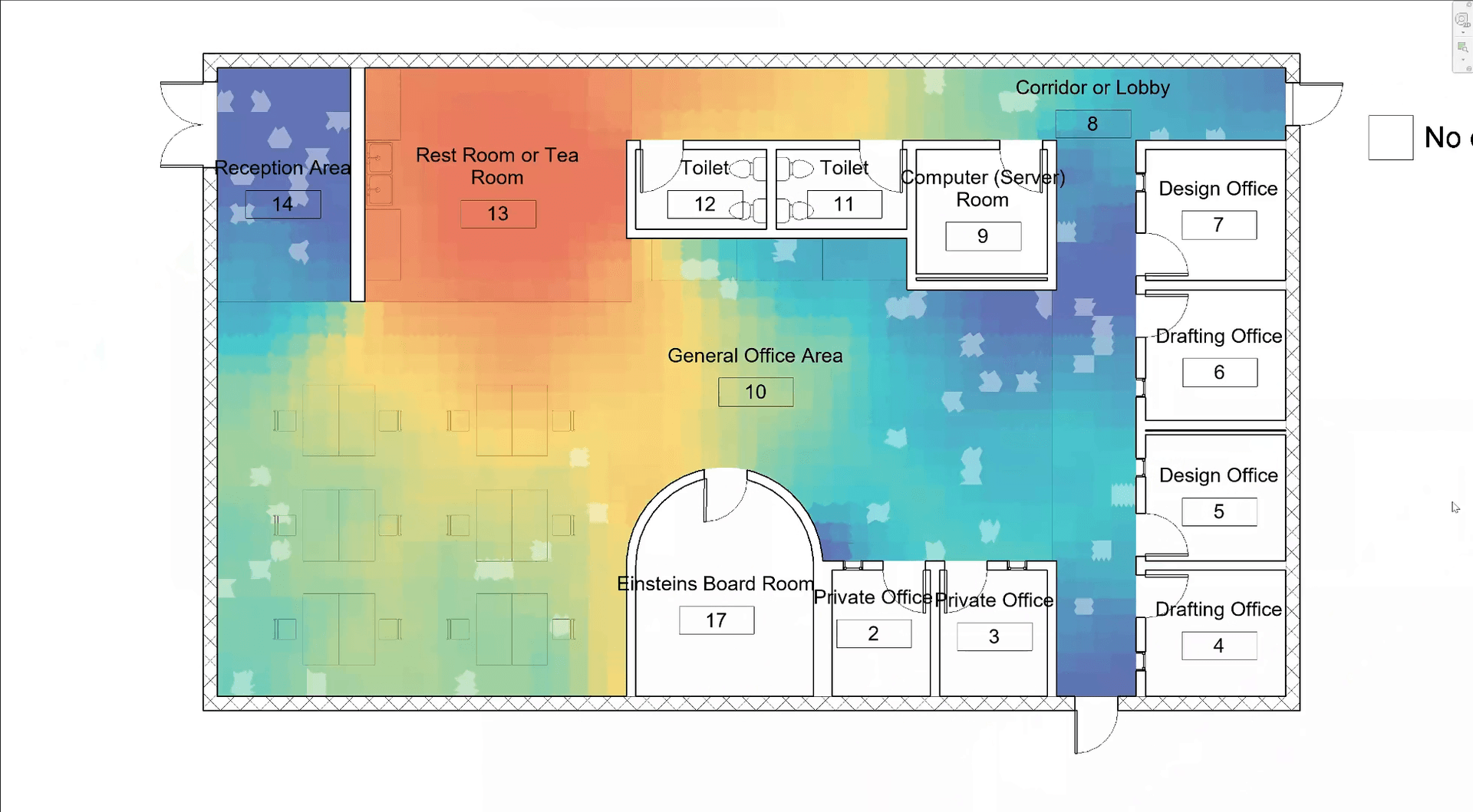
Start with Model. Choose the calculation view and review which elements the analysis should use. Then place one sound source and one or more listening positions, check the material assignments and add heat-map layers if you want to see how a value varies across an area.
Save the result and use it to compare positions or design options. For example, check the same seating positions before and after changing the source direction or reviewing a treatment.
What comes with 2.2.0
Ray Playback shows selected paths from an eligible saved result. Spatial Heat Maps display predicted values across the layers you prepared, with a scale and evidence legend.
Where the calculation has enough evidence, receiver results can include early decay time (EDT), reverberation time (T20 and T30), speech clarity (C50), music clarity (C80) and sound levels. Speech intelligibility (STI) estimates remain preliminary. Use the predictions and their evidence qualifications to guide design review.
The video below is an earlier demonstration of ray paths and spatial heat maps. Use the 2.2.0 guide for the current interface.
Listening Preview audio is coming soon.
Get started with Open Early Access
Create an Acouso account, confirm your email and sign in to find the standard ROOM installer in My Account. In Revit, sign in through Account and check that you have a usable ROOM licence before opening Acoustic Ray Analysis.
The written guide walks through Setup, Results and Experience. The release notes list the changes in 2.2.0.