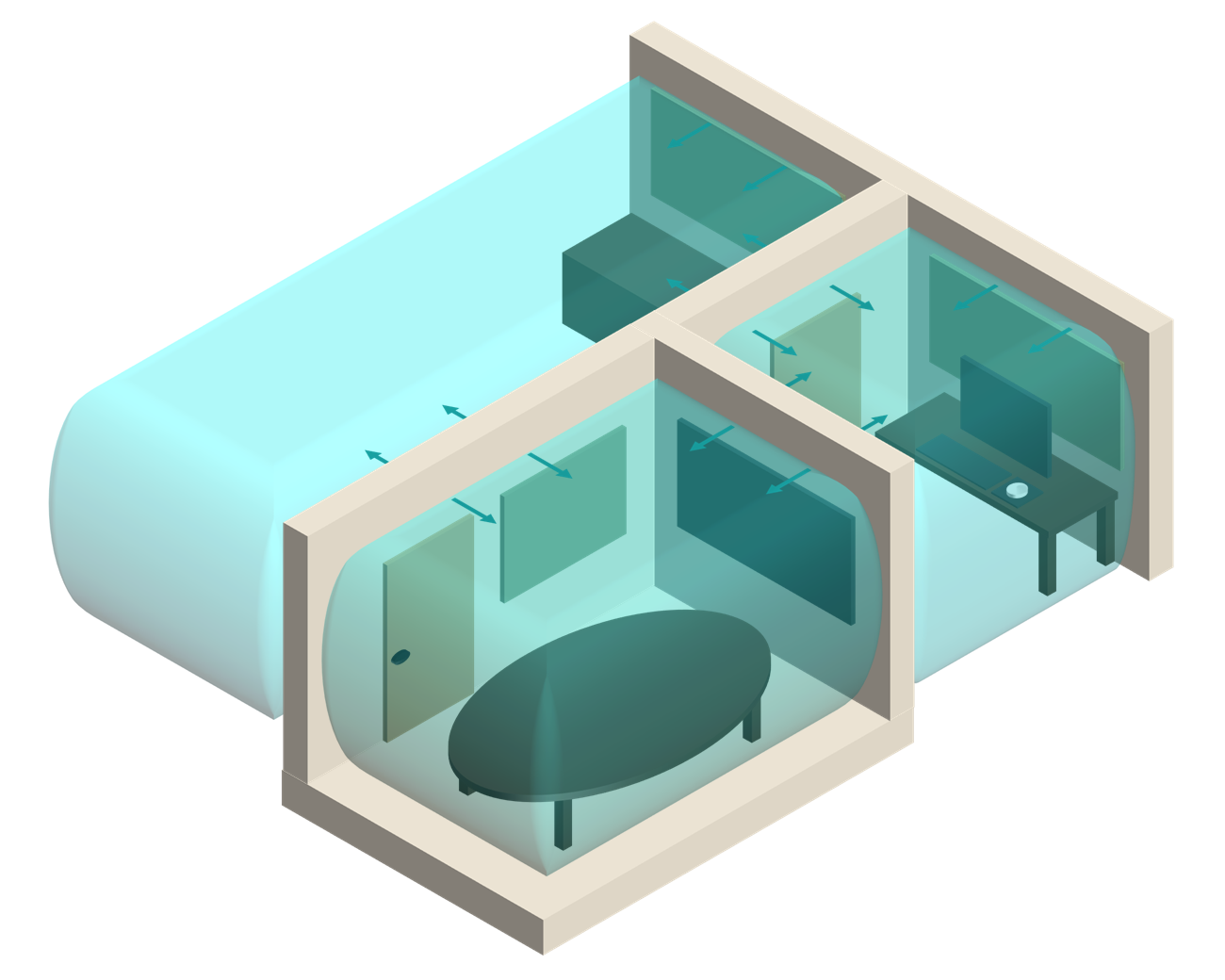

Real-Time Acoustic Analysis
Where Revit® Meets Acoustics.
- Acoustic analysis directly within your Revit model
- No exports or external tools required
- Instant feedback on design changes
Real-time insight into acoustic performance
See acoustic performance as you design, without leaving Revit.
Visualise sound behaviour, refine designs faster, and make better decisions earlier.
From disconnected workflows to real-time design feedback
Acoustic analysis often happens outside the model, slowing changes and making iteration harder. Acouso brings feedback directly into the design process.
Traditional workflow
- Export geometry to external tools
- Rebuild the model for analysis
- Run calculations outside your design environment
- Return to Revit to make changes
- Repeat for every design iteration
With Acouso
- Run acoustic analysis directly inside Revit
- Use your model as the source of truth
- Visualise results within your design
- Adjust and rerun instantly
- Keep analysis aligned with design decisions
Our Products
The Acouso™ Suite
A family of tools built for acoustic analysis inside Revit — from room-level reverberation to full-building analysis.
Reverberation Analysis
Acouso-ROOM™
Detailed room acoustic analysis without external tools or complex setup.
Run full reverberation analysis with acoustic material customisation and reflection visualisation inside your existing Revit model.
Compatible with Revit 2023–2027


Acouso-PLAN™
Full building-scale acoustic analysis across federated models without disconnected workflows.
Assess room reverberation plus airborne and impact performance, with clear visual results across your projects. Scale from individual rooms to full floor plans and entire buildings.
Compatible with Revit 2023–2027


Built for teams designing in Revit
Whether you're analysing performance or shaping the design
Acoustic Engineers
- Run analysis without rebuilding models
- Spend less time on setup, more on design decisions
Architects & Designers
- Understand acoustic performance as you design
- Make better decisions before layouts are locked in
BIM / Revit Users
- Work directly from your existing model
- No exports, no duplicate workflows, no context switching
Choose your level of acoustic analysis
Start free, move into detailed room analysis, and scale to full-building performance.
Acouso-ROOM Intro is the free access level for Acouso-ROOM. It uses the same download, with feature access controlled by your access level or licence.
Acouso-ROOM Intro
Explore acoustic analysis inside Revit
Free download
The free access level for Acouso-ROOM. Download the same Acouso-ROOM installer and start with Intro feature access inside Revit.
Best for: Teams who need visibility into acoustic performance without running full analysis
- Import and export results
- View acoustic project results
- Limited reflection analysis
- Introductory access to core functionality
Acouso-ROOM™
Detailed room acoustic analysis directly inside Revit
AUD $125
per seat / monthAUD $1,500 per seat billed annually
Designed for architects, engineers, and designers who want to analyse room acoustics directly in Revit — without relying on external tools or complex setup.
Best for: Professionals looking to analyse acoustics within their design workflow while reducing setup and analysis time.
Includes everything in Intro, plus:
- Room reverberation analysis
- Custom occupancy standards
- Acoustic material database and editing
- Detailed room acoustic analysis with material customisation
- Full reflection analysis to visualise sound propagation in your Revit model
Acouso-PLAN™
Full-building acoustic analysis inside Revit
Early access
Designed for teams working at building scale — extending analysis beyond individual rooms to include building elements and structures, with acoustic performance visible across full floor plans and entire projects.
Best for: Building-scale projects with complex adjacencies, systems, and acoustic interactions.
Includes everything in Room, plus:
- Full floor plan airborne and impact analysis
- In-model compliance markups for visual verification
- Advanced custom standards for compliance guidance
- Tenancy group analysis
- Advanced source-to-receiver analysis
- Exportable reports for client delivery
All prices exclude GST. Prices shown in your selected currency for convenience. Final billing is processed in AUD.
Using Acouso across a team or organisation?
Get in touch to discuss enterprise access, multi-seat licensing, and onboarding support.
Compare plans
| Capability | Intro | Acouso-ROOM | Acouso-PLAN |
|---|---|---|---|
| View acoustic results | |||
| Import/export results | |||
| Reflection analysis | Limited | ||
| Reverberation analysis | — | ||
| Acoustic material editing | — | ||
| Custom standards | — | ||
| Full-plan analysis | — | — | |
| Compliance markups | — | — | |
| Group / tenancy analysis | — | — | |
| Exportable reports | — | — |
Start analysing acoustics inside Revit
Start with Acouso-ROOM Intro and scale as your projects grow.
Frequently asked questions
What versions of Revit is Acouso compatible with?
Acouso is compatible with Revit 2023 through 2027.
Is Acouso-ROOM Intro a separate product?
No. Acouso-ROOM Intro is the free access level for Acouso-ROOM. The download installs Acouso-ROOM, and your access level or licence controls which ROOM features are available.
How do I install it — is it on the Autodesk App Store?
Acouso-ROOM Intro is available through the website as the free Acouso-ROOM download path. It uses the same Acouso-ROOM installer, with Intro feature access. Acouso-ROOM is also live on the Autodesk Store.
What acoustic standards does Acouso check compliance against?
Acouso's compliance parameters are fully configurable to match your project specifications. Whether you're working to NCC, AAAC, or a project-specific brief, the software can be set up to reflect your requirements.
Does it cover the full building or just individual rooms?
Both products analyse full models, including linked files. Acouso-ROOM™ works at the room level — assessing reverberation and acoustic performance room by room across your entire model. Acouso-PLAN™ takes this further, adding structural performance analysis (airborne and impact separation), building-scale compliance markups, and reporting capabilities across full floor plans and projects.
Do I need to set up my Revit model in a specific way?
No. Acouso is designed to integrate directly into your existing Revit workflow without requiring any model restructuring.
Is Acouso affiliated with or endorsed by Autodesk?
Acouso's software products are developed independently of Autodesk. While we are proud to be part of the Autodesk Developer Network as an authorised developer, Acouso is not officially endorsed or sponsored by Autodesk.
Is my model data sent anywhere or does analysis run locally?
To deliver optimal performance and ensure calculations use the most up-to-date algorithms, analysis is processed via Acouso's secure cloud infrastructure. Only the parameters required for analysis are transmitted — your full model geometry remains local. For more details, see our Privacy Policy.